Guide
How to make a wedding website
A wedding website is one link where guests find everything they need to know about the day, and where they can tell you whether they are coming. You do not need to code or pay a designer hundreds of euros: a good one takes an evening. Here is a step-by-step guide, a checklist and examples.
In short
A wedding website in seven steps
- Write down the basics: the date, the time and the ceremony and reception addresses.
- Pick a tool: a wedding website service like Kutsu.me, a website builder like Wix or a page made for you.
- Choose a design that suits your wedding and add your photos.
- Add the schedule, directions, accommodation, dress code and gift list.
- Add an RSVP form and the date you need answers by.
- Decide who can see it: a password, and hiding it from search engines.
- Check it on a phone and share the link by message, email or a QR code on a paper invitation.
What is a wedding website, and why have one?
A wedding website is a page on the internet devoted to your wedding. A paper invitation has room for the date, the time and the place. A website has room for everything else: the day's schedule, a map, how to get there, where to stay, what to wear, what to give - and a form where guests tell you whether they are coming.
For the couple it means fewer repeated questions and one place where the answers collect. For guests it means everything is on their phone long after the paper invitation has gone missing. And when something changes - the bus leaves later, the venue moves - you fix it in one place and everyone sees the new version.
- Fewer questions. "Are children invited?" and "Where can we park?" are answered before anyone asks.
- Answers in one place. No keeping count across Messenger, email and phone calls of who is coming and who is not.
- For guests from far away. Accommodation, transport and a map together, for people who do not know the area.
- Changes reach everyone. The website is always current; a paper invitation is not.
A website does not have to replace paper. Plenty of couples send a beautiful paper invitation with a short link or a QR code that leads to the wedding website.
Three ways to make a wedding website
There are three ways to do it. All three work - the difference is how much time, money and fiddling each one takes.
| Kutsu.me | Wix etc. | Made for you | |
|---|---|---|---|
| Who makes it | You, from a ready design | You, from a blank page | A designer |
| Time | An evening | A few days | A couple of weeks |
| Price | Free, or Premium 6 € or Signature 49 € per wedding | Free with ads, otherwise monthly | Usually several hundred euros |
| RSVP form | Built in, answers counted for you | You add one yourself | Depends on the package |
| On a phone | Made for phones | You check it yourself | Depends on the maker |
| Own domain | With Signature | On a paid plan | Usually |
Kutsu.me
Kutsu.me is built for parties and weddings: you choose a design, fill in the fields and the website is ready. The RSVP form, map, countdown and guest list are already there, so you do not have to assemble them. The steps below show how it works.
Wix and other website builders
Wix, WordPress, Google Sites and other general builders work for a wedding website too, if you enjoy tinkering. Expect the free plan to put your address on the builder's subdomain (such as name.wixsite.com) with ads on the page, an RSVP form you have to add separately, and answers you collect into a spreadsheet yourself. Check how it looks on a phone, because that is where most guests will open it.
A website made by a designer
If you want something entirely unique and do not want to do anything yourself, you can have one made. It is the most comfortable and the most expensive way: packages usually cost several hundred euros, and changes take time because each one goes through the designer.
Step by step: a wedding website in one evening
These steps work with any tool. The examples are from kutsu.me, because there you can do every one of them for free.
1. Gather the basics
Before you start designing, write down in one place what every guest needs to know:
- your names, as you want them to appear;
- the date, and the time guests should arrive;
- the ceremony and reception venues with full addresses - both, if they are in different places;
- the date you need answers by (usually the day the caterer or venue asks for final numbers).
Everything else - the schedule, accommodation, gifts - can come later. A wedding website does not have to be finished the day you first share it.
2. Choose a design and add photos
Pick a design that matches the mood of the wedding: classic and calm, a botanical garden wedding, a romantic story told in photos or something more playful. A good design looks as good on a phone as on a computer, because that is where most guests open the link.
One good photo of the two of you works well at the top - an engagement photo, or simply a picture you love. Keep the number of photos moderate: the page should open quickly even with poor signal in the countryside.
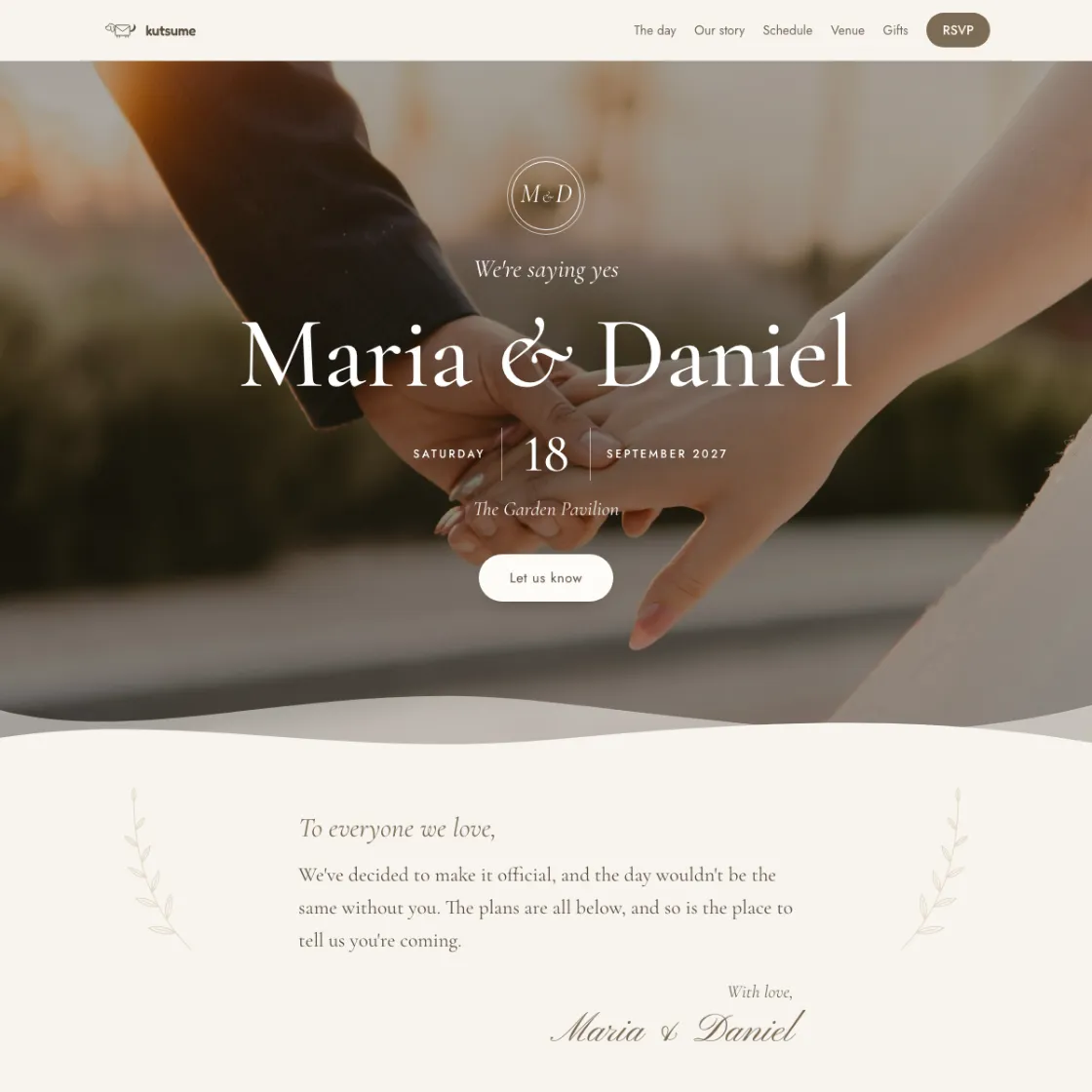
Kutsu.me's wedding designs come filled with sample details, so you see what your website would look like before choosing. You can switch designs later, and your text, dates and photos come along.
3. Write a welcome and your story
A few sentences to your guests set the tone for the whole page. They can be formal ("Together with our families, we invite you to our wedding...") or warm and simple ("We're getting married! Come and celebrate with us."). If you need words to start from, see the wedding invitation wording examples.
Many couples also add a short story of how they met. It is not required, but guests who only know one of you enjoy reading it.
4. Add the schedule, a map and the practical details
This is what guests actually open the page for. Add:
- The day's schedule - ceremony, photos, dinner, cake and dancing. Times can be approximate; what matters is that guests know when to be where.
- A map and directions - a map to the venue, parking and, if there is one, the bus from the ceremony to the reception.
- Accommodation - if the wedding is out of town, suggest places to stay nearby or say if you have already booked rooms.
- Dress code - one line ("formal", "garden party", "comfortable shoes for dancing") saves guests a lot of guessing.
- Children - whether they are invited or it is an adults-only evening. Say it kindly, but clearly.
- A contact - who to call on the day (a best man or a planner), so the couple's phones can stay quiet.
In kutsu.me a map appears on the page when you pick the venue from the address suggestions. The schedule, "Good to know", FAQ and your story each have their own section, added in one click and coloured to match the design.
5. Add an RSVP form
The RSVP form is the most useful part of a wedding website: the guest presses a button, types their name and says whether they are coming. You see every answer in one list and never have to count them yourself.
Beyond the name and the answer, weddings often ask:
- whether the guest is bringing a partner, and how many people in total;
- a menu choice, dietary needs and allergies;
- whether they need accommodation or transport;
- a song the DJ could play.
Give the form a deadline. A good one is the day the venue or caterer needs final numbers - usually three to four weeks before the wedding.
On kutsu.me's free plan guests answer in one tap and you see who is coming in real time. Menu choices, plus-ones and your own questions are part of Premium (6 € per wedding). Read more about RSVP questions.
6. Add a gift list
Talking about gifts can feel awkward, but guests will ask anyway. A website lets you do it tactfully: one sentence ("Your presence is the best gift, but if you would like to give something...") with a list of wishes or a honeymoon fund underneath.
On a kutsu.me wish list a guest reserves a gift so two people never buy the same thing, and several guests can chip in for a bigger one. The wish list is free.
7. Decide who can see it
A wedding website carries your names, the date and an address, so think about who should see it before you share it.
- A password. A shared password written on the invitation keeps the page for invited guests only.
- Search engines. Make sure your page does not appear in Google's results. On a general builder that is a setting you switch off yourself.
- The link and a QR code. A short, readable link (such as kutsu.me/i/laura-and-martin) is easy to print on a paper invitation. In kutsu.me the Share button also downloads a QR code to put on the invitation, or prints a QR sheet to set on the tables on the day. Read more about the invitation link and QR code.
Kutsu.me never offers invitation pages to search engines, and a password, a readable link and a QR code are free on every invitation.
8. Check it on a phone and publish
Before sharing, open the page on your phone and read it from top to bottom as a guest would:
- are the date, time and addresses right;
- does the map lead to the right place;
- does the RSVP form work - send a test answer yourself;
- are there typos - ask someone else to read it too.
Publishing on its own notifies nobody, so you can publish early and share when you are ready.
What to put on a wedding website: a checklist
You do not need all of it, but the list helps you not forget anything important.
- Your names and the wedding date
- Ceremony time and place
- Reception time and place, if elsewhere
- Map, parking and transport
- The day's schedule
- RSVP form and deadline
- Plus-ones and children - who is invited
- Menu and dietary needs
- Dress code
- Accommodation for guests from afar
- Gift list or honeymoon fund
- A contact person for the day
- Frequently asked questions: photos, speeches, flowers
- Your story and a few photos
When and how to share your wedding website
The good thing about a wedding website is that you can share it early and add to it later. A usual timeline:
- 6-12 months before: a save-the-date - just names, date and place. The same link grows into the full invitation later.
- 8-10 weeks before: the invitation itself, with the schedule, practical details and the RSVP form.
- 3-4 weeks before: the RSVP deadline, and a reminder to anyone who has not answered.
There are several ways to share the link:
- By message on WhatsApp, Messenger or SMS - the simplest way, and always free.
- By email - with Premium, kutsu.me sends every guest a personal link, reminds the ones who have not answered and lets you schedule the send.
- On paper - print a short link, or a QR code downloaded from kutsu.me, on the invitation. Guests get a beautiful card and every practical detail.
After the wedding: the photos in one place
A wedding website does not have to disappear after the day. In kutsu.me the same page becomes a shared photo gallery after the wedding: guests upload pictures from their phones, and you download them all as one file. The gallery is part of Premium and stays open for 12 months. Read more about the post-wedding photo gallery.
How much does a wedding website cost?
It depends on how you make it:
- Kutsu.me Free - 0 €. Design, link, RSVP form, guest list, wish list and password. Share it with as many people as you like: no plan caps the guest list.
- Kutsu.me Premium - 6 € per wedding, once. Adds every design, email invitations, reminders, menu choices, plus-ones, your own questions and a photo gallery for 12 months.
- Kutsu.me Signature - 49 € per wedding. Everything in Premium, plus your own domain (such as lauraandmartin.com) and a page with no kutsu.me branding.
- Wix and other website builders - free with ads and a subdomain, otherwise a monthly fee.
- A website made for you - usually several hundred euros.
Every plan is side by side on the pricing page.
Wedding website examples
Every design opens as a real wedding website filled with sample details. See what yours would look like before you write a word.


Frequently asked questions
Is a wedding website the same as a digital wedding invitation?
A wedding website, a wedding page and a wedding homepage are names for the same thing: a page with everything about the wedding. A digital invitation is a page whose link is sent to guests as the invitation. In kutsu.me they are one and the same: the invitation guests open is your wedding website, with the schedule, map and RSVP form.
Can I make a wedding website for free?
Yes. On kutsu.me the design, link, RSVP form, guest list and wish list are free, and the guest list is not capped. Sending invitations by email, extra RSVP questions, some designs and the post-wedding photo gallery are paid.
How long does it take to make a wedding website?
With a ready design, a page with the basics takes about an hour, and a full one with the schedule, accommodation and gift list takes an evening. You can keep changing it until the wedding day.
Will our wedding website show up on Google?
Kutsu.me invitation pages never do: they are hidden from search engines and can be protected with a password. On a general website builder, check that the page is hidden from search engines.
Do guests need an account or an app?
No. Guests open the link in their phone or computer browser and answer without an account.
Can the wedding website have its own domain?
Yes. With Signature (49 € per wedding) the page lives on your own domain, such as lauraandmartin.com, with no kutsu.me branding. You buy the domain yourself, and we help connect it.
Can I change the website after sharing it?
Yes, as often as you need. Guests always see the latest version, so you never have to send a corrected page again.
Do we still need paper invitations?
They are not required. Many couples still send a beautiful paper invitation with a QR code or a short link to the wedding website, where the practical details and the RSVP form are.
Make your wedding website tonight
Start with your names and the date. The schedule, gift list and RSVP form can follow - and the same link works until the wedding day, and after it.
Make your wedding website freeDesigning and sharing as a link are free. No card needed.