Build a wishlist
A wishlist lets guests give something you will actually use, and quietly prevents duplicates.
Where wishlists live
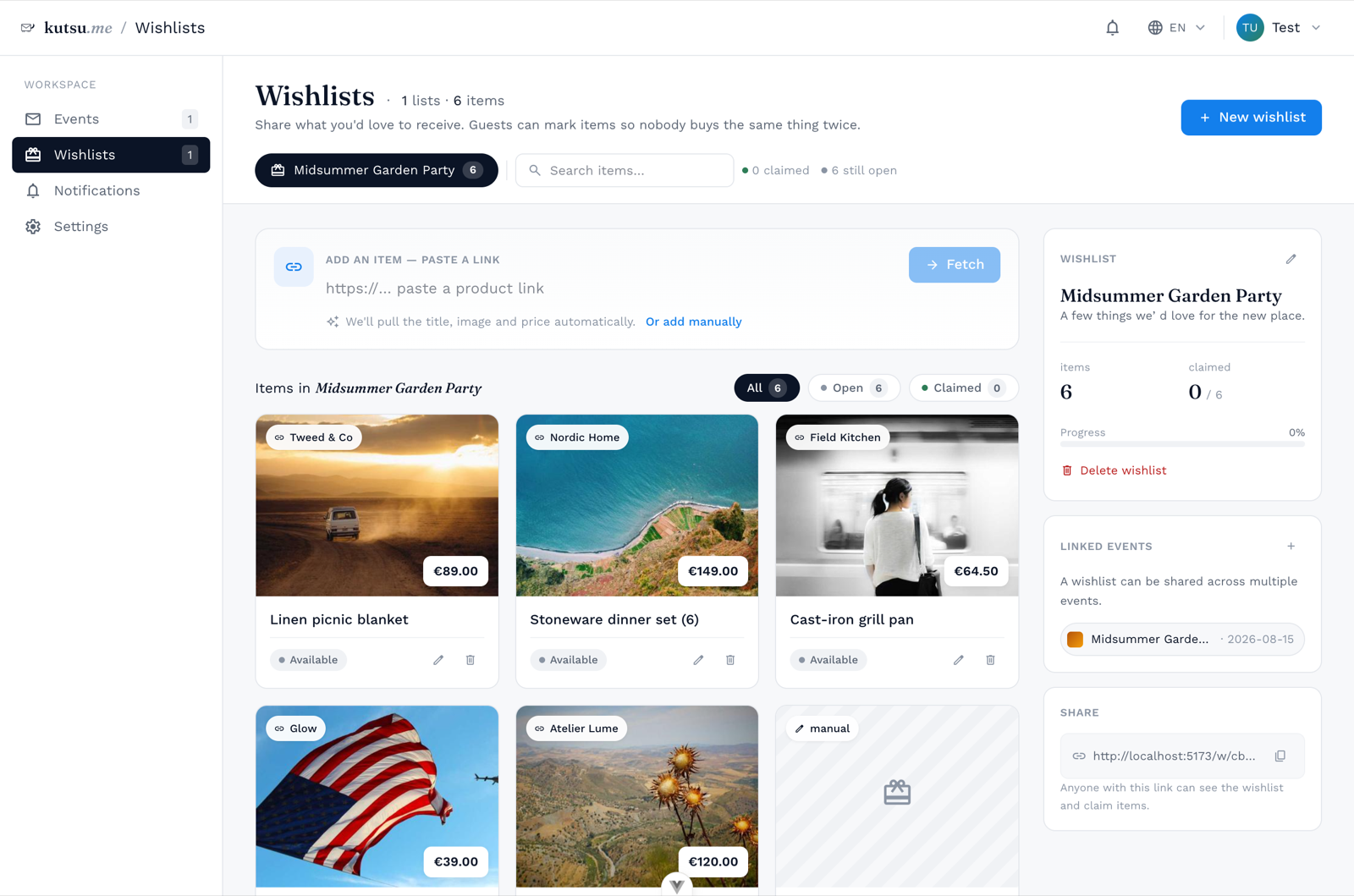
Wishlists are their own thing, kept under Wishlists rather than inside one event - so the same list can appear on more than one invitation, and survives the event it was made for. Link one to an event from Event info → Linked content, or from the wishlist's own Show on these events panel.
You do not have to leave the invitation to make one. Create new under Linked content, or on the wishlist row of the Design step, opens a panel where you name the list and add its gifts; Edit gifts opens the same panel for the list already chosen. Gifts are saved as you add them, and the new list is chosen for the invitation when you save it.
Add items
- Paste a linkkutsu reads the page and fills in the title, image, price and shop for you.
- Or add it by handFor experiences, homemade things, or anything without a web page - a name and a note is enough.
- Set a quantityNeed six of something? Set the count and guests claim them one at a time.
Who sees it
Each link between a wishlist and an event carries its own visibility: all guests, or only after they RSVP yes. The second is the polite default for a wedding - the list is for people who are coming.
A wishlist also has a share link of its own, so it can be sent to someone without the invitation attached.
Group gifts
For a honeymoon fund or one big item, give an item a goal amount and guests can chip in. See Group gifts explained.