Co-hosts and transferring an event
Planning with someone else? Co-hosts share full editing access, and ownership can move whenever you need it to.
Invite a co-host
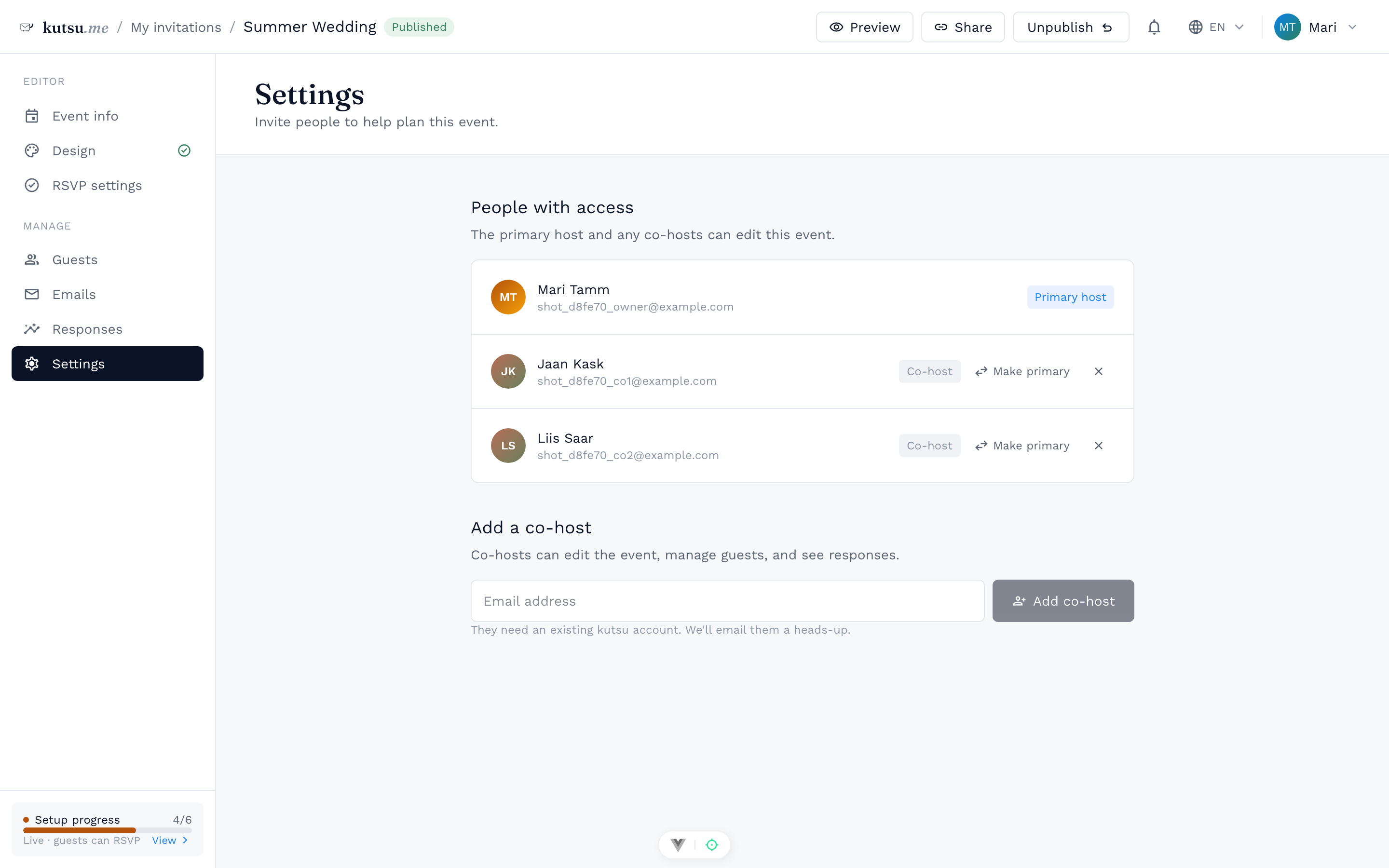
Open the event and go to Settings → Invite a co-host. Enter their email address and the invitation waits on their kutsu dashboard; once they accept it, they can edit the event, manage guests and see responses. Nothing changes for them until they do. If they don't have a kutsu account yet, ask them to sign up with that address and the invitation will be there. Until it is accepted it shows in Settings, where you can withdraw it.
Transfer ownership
There is exactly one primary host per event, and they control billing and deletion. Make primary hands that role to a co-host, someone who has already accepted your invitation; you stay on the event as a co-host yourself.
Transferring is immediate. The new primary host can remove you, so hand over only to someone you would trust with the guest list.
Which plan this needs
Co-hosts and shared editing come with Pro, the yearly account subscription. Pro applies to every event the account owns, so a planner or a venue adds their team once rather than per party. A co-host's own plan does not change the event: it is billed to whoever owns it.