Choosing a template
Pick whichever template is closest to the feeling you want. Your text, dates and photos carry over when you change your mind.
Browse the gallery
The front page has a tile for each occasion - birthdays, milestone birthdays, kids' parties, baby showers, weddings, parties, Christmas parties and Halloween - and each leads to the designs that suit it. Every one opens as a real invitation you can scroll before you sign in. The gallery here has all of them.
Open Design and click the current template to open the gallery. Its tabs are the same occasions, so a design sits on the same shelf here as on the site, and any card opens a full-size preview in desktop and mobile widths before you commit.
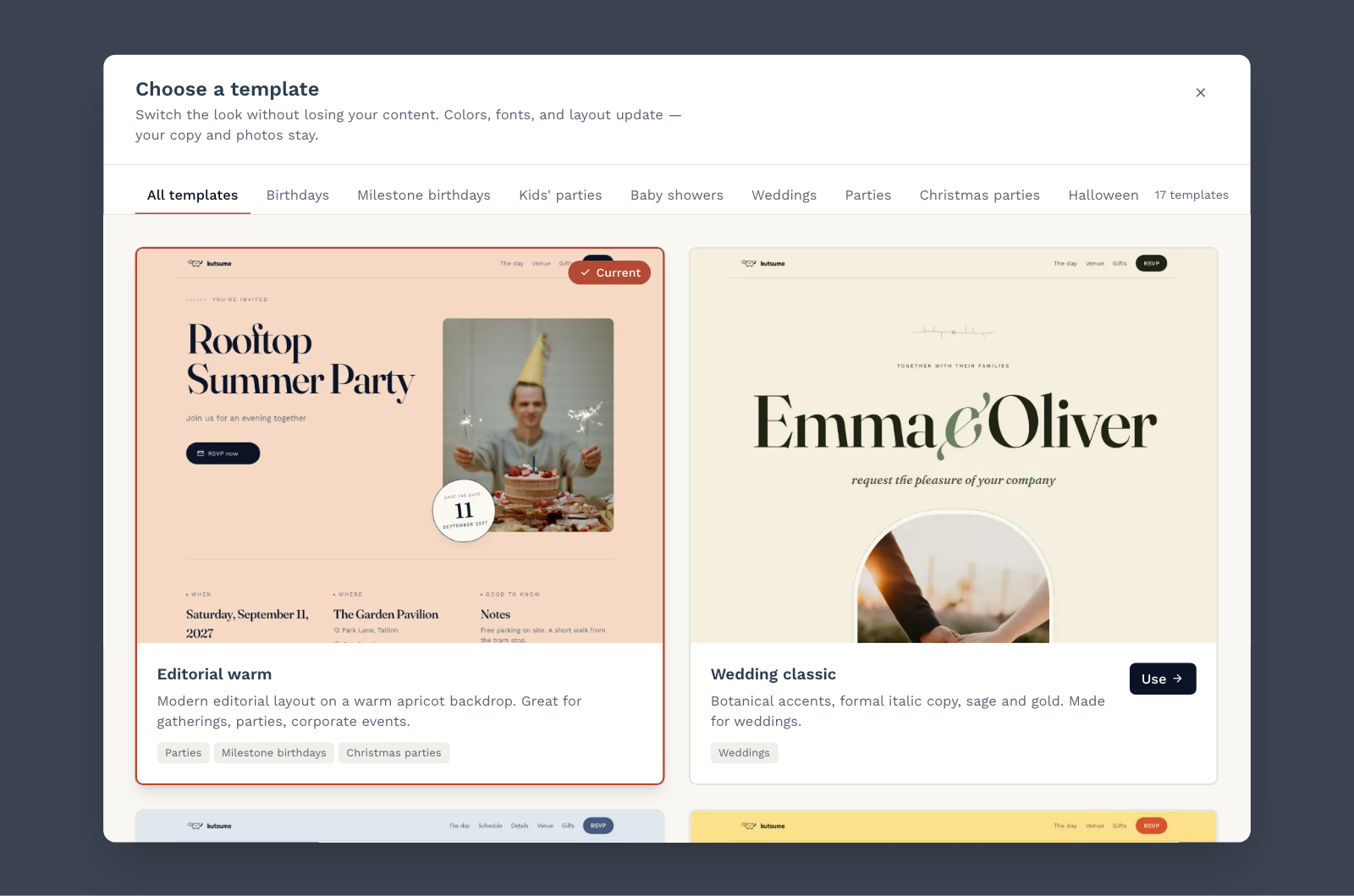
Make it yours
Once a template is applied, the inspector on the right has two tabs. Content holds the words: title, subtitle, the small eyebrow line above the title, the cover photo and the button label. Style holds the background colour and the cover photo framing.
Some designs fill those lines with words of their own until you write yours. On the canvas you can click them to edit, or delete them to leave the line out.
Below that, Sections lets you add, reorder, duplicate, hide and remove blocks - a map, a schedule, a dress code, an FAQ, a note. Hidden sections keep their content; they simply stop rendering for guests.
Colour palette and font pairing come from the template itself, and are not edited separately. If you want a different type or colour set, switch templates - your content follows you.
Letting guests suggest songs
Any design can carry a song list: on Design → Sections, Add section offers Song requests. The Vinyl night template has one already - its side B - so there is nothing to add there. Guests add songs right on the invitation, everyone sees the same list, nobody is asked for a name, and a guest can take back a song they added. There is no limit on how many songs one guest may add, and the same record cannot go on twice.
Once the section is on the page it takes songs by default. The section's own row carries Let guests suggest songs to close it, and the list under that switch is where you take anything off. Closing it stops new suggestions; it never deletes the ones already made. Requests also close on their own once the party is over.
As a guest types, the box offers matching records. Picking one puts the song on the list spelled the way the catalogue spells it, with its cover and a link to it - and a song nobody ever released still goes on if they just type it. Under the list in the editor, Copy the list hands you the whole thing as plain text with those links, ready to paste wherever the music is actually played from.
Free and paid templates
Most templates can be used on a free event. A few - currently the block-quest birthday, rainbow unicorn, vinyl night, star map, dart blast, snow globe, Santa's sleigh, matchday and love story designs - need Premium or above. The gallery marks those as paid and the editor will not let you build on one you cannot publish with, so you are never asked to give up a design you have already filled in. Unlocking one - in the gallery, or under My invitations when you start a new event - takes you straight to the payment, and the event is on that design as soon as it goes through. See Plans and what each one unlocks.